
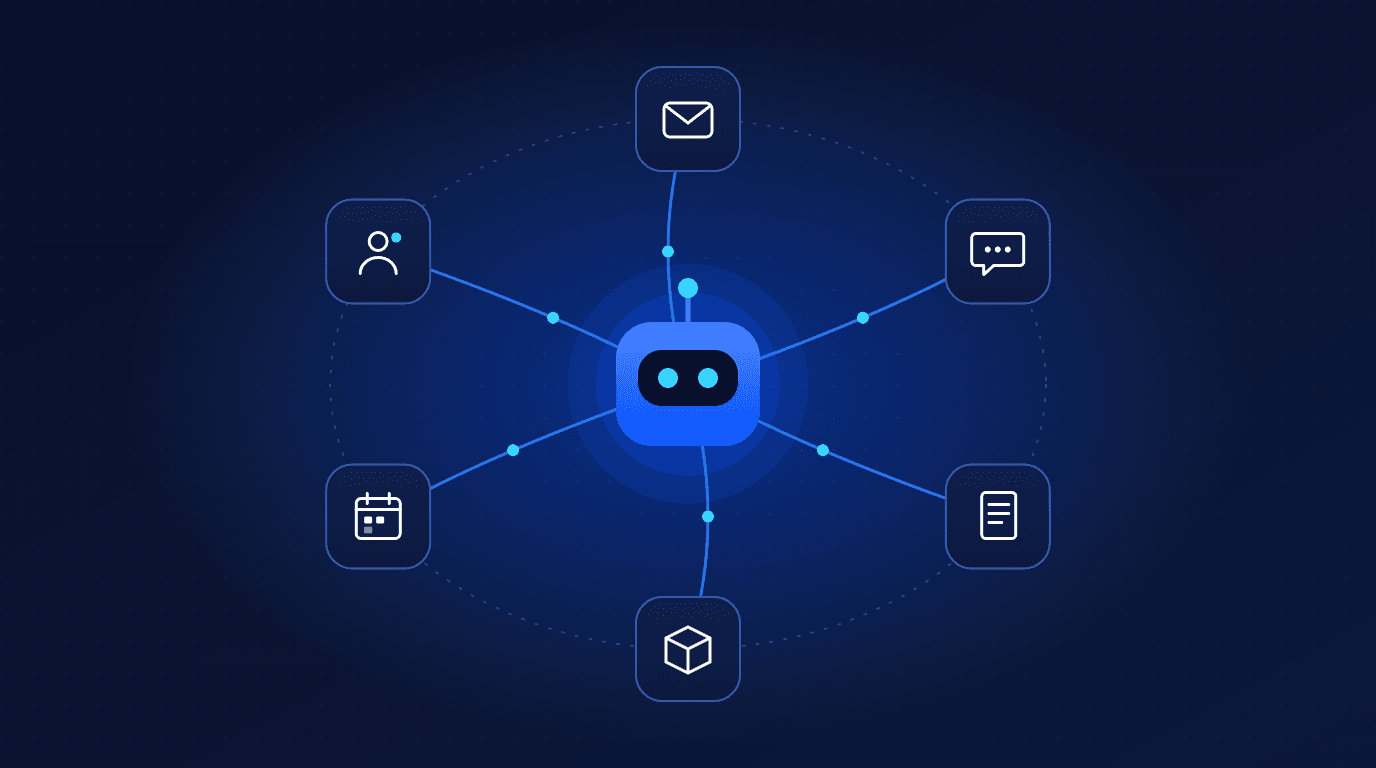
An AI agent is software that uses a large language model to understand a goal, decide on the steps to reach it, and carry those steps out using your business tools, such as your CRM, inbox, helpdesk or inventory system. Unlike a chatbot that only answers questions, an agent can take action: qualify a lead, update a record, draft a reply or raise an order.
This guide explains how AI agents work, where they deliver real value for businesses today, and how to deploy them with the right guardrails. It draws on the agent systems our AI automation team builds for clients.
What is an AI agent?
An AI agent combines four building blocks:
- A language model that understands requests and reasons about what to do next.
- Tools – secure connections to your systems, such as APIs for your CRM, email, calendar, database or ecommerce platform.
- Memory and context – relevant customer history, documents and business rules the agent can look up.
- Guardrails – permissions, approval steps and checks that keep the agent inside safe limits.
AI agents vs chatbots vs traditional automation
| Chatbot | Rule-based automation | AI agent | |
|---|---|---|---|
| Handles unstructured input | Yes | No | Yes |
| Takes actions in your systems | Rarely | Yes, fixed steps | Yes, chooses steps |
| Adapts to new situations | Limited | No | Yes, within guardrails |
| Best for | FAQs | Predictable, repetitive tasks | Variable, judgement-based tasks |
In practice the best systems combine both: reliable rule-based workflows for predictable steps, with AI agents handling the parts that need understanding and judgement.

7 high-value AI agent use cases for businesses
- Instant lead response and qualification – reply to every inbound enquiry within seconds, ask qualifying questions and book meetings, as our Replex Engine does.
- Customer support triage – classify tickets, answer common questions from your knowledge base and route complex cases to the right person with a summary.
- Order and inventory operations – monitor stock, flag delays and create purchase orders or supplier emails for approval.
- Invoice and document processing – read invoices, contracts and forms, extract the data and enter it into your finance or ERP system.
- CRM data hygiene – enrich, deduplicate and update records automatically after calls and emails.
- Reporting and insights – pull data from several systems and write a plain-English weekly summary for managers.
- Internal knowledge assistant – answer staff questions from policies, product documentation and past tickets.
Single agents vs multi-agent systems
Simple tasks need one agent. Complex operations often work better with several specialised agents: one gathers information, another decides, another executes, and a supervisor checks the result. Our autonomous agent swarms case study shows how this approach connects CRM, ERP, inventory and customer messaging into one operational system.
How to deploy AI agents step by step
- Pick one process that is frequent, time-consuming and easy to measure, such as lead response time or ticket handling time.
- Map the process as it works today, including the decisions people make and the systems they use.
- Connect the data and tools the agent needs, with the minimum permissions required.
- Keep a human in the loop at first: the agent drafts, a person approves.
- Run a pilot on real work and compare results against your baseline.
- Expand autonomy gradually as accuracy is proven, and add the next process.
Risks and guardrails you need
- Accuracy – language models can produce confident but wrong answers. Ground agents in your own data and validate outputs before actions.
- Permissions – give each agent only the access it needs, and require approval for high-impact actions such as refunds or payments.
- Data privacy – control what customer data is sent to AI providers and choose providers with suitable data-handling terms.
- Cost control – monitor model usage so costs scale predictably with volume.
- Monitoring and audit trails – log every decision and action so you can review, debug and improve.
How to measure the ROI of AI agents
Measure against the baseline you recorded before launch:
- Hours saved per week on the automated process.
- Response time, for example time to first reply on leads or tickets.
- Conversion or resolution rates.
- Error rates and the share of actions needing human correction.
- Total running cost compared with the manual process.
Ready to find the right first process to automate? Explore our AI automations and autonomous agents service or book a discovery call.
Related reading:
- How Much Does Custom Software Development Cost in 2026? A Complete Pricing Guide
- Headless Commerce vs Traditional Ecommerce: Which Architecture Is Right for Your Brand?
- Technical SEO Checklist for 2026: 30 Checks to Get Your Site Crawled, Indexed and Ranked
Frequently asked questions
What is the difference between an AI agent and a chatbot?
A chatbot answers questions in a conversation. An AI agent can also take actions in your business systems, such as updating a CRM record, sending an email or creating an order, by deciding which steps to take to reach a goal.
Are AI agents safe to use with customer data?
They can be, with the right setup: minimum necessary permissions, approval steps for high-impact actions, clear rules on what data is sent to AI providers, and full logging of every action for review.
Which business processes should I automate with AI agents first?
Start with a frequent, time-consuming process that is easy to measure, such as responding to inbound leads, triaging support tickets or processing invoices. Quick, measurable wins build confidence before you automate more complex work.
Will AI agents replace my team?
In most businesses AI agents take over repetitive, time-consuming tasks so people can focus on work that needs relationships, creativity and judgement. The most successful deployments keep people in charge of decisions that matter.
How long does it take to deploy an AI agent?
A focused pilot for a single process can often be live within a few weeks. Connecting multiple systems, adding multi-agent workflows and expanding autonomy safely usually happens over several months.